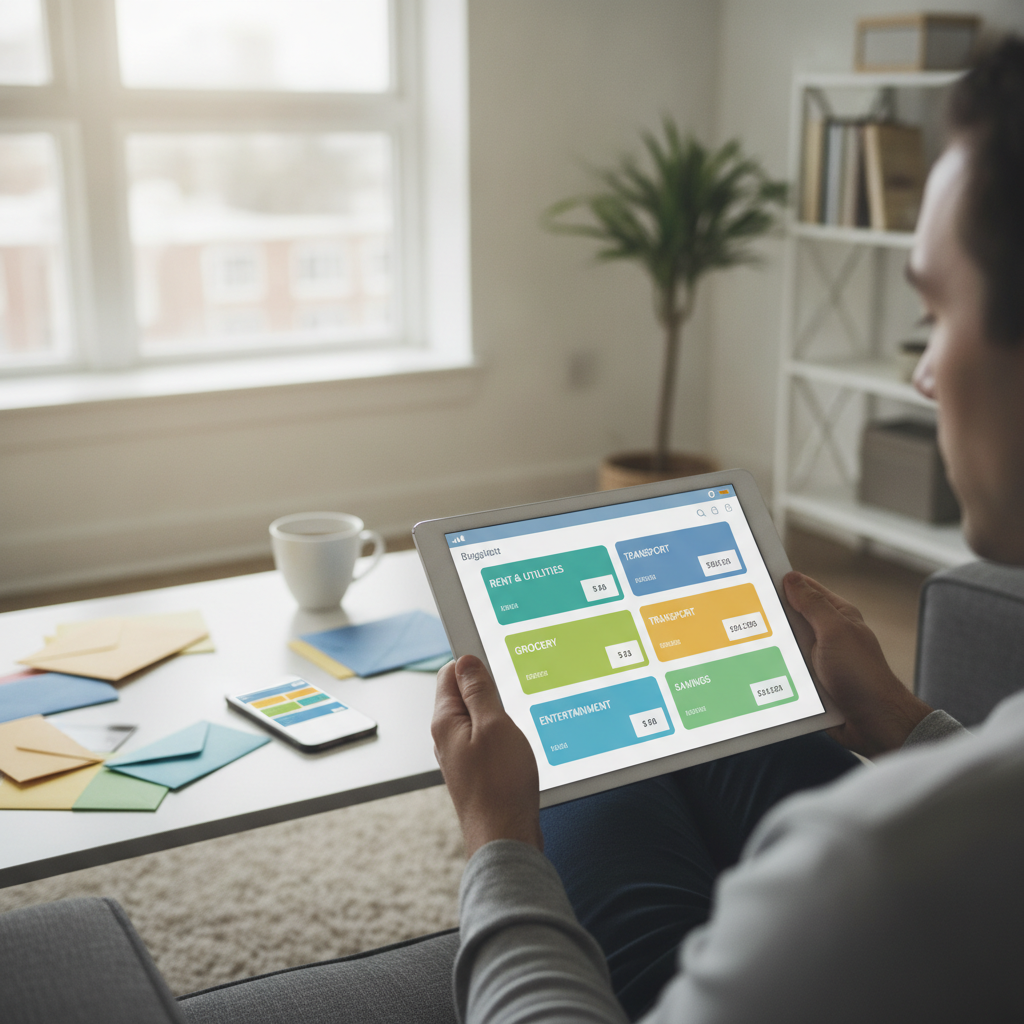
Most people who've tried the envelope method gave up the moment they realized they hadn't touched physical cash in six months. The idea of stuffing labeled envelopes with grocery money and gas money sounds appealingly simple — until your whole life runs through a debit card, Venmo, and a rotating cast of subscriptions you barely remember signing up for. The good news is that the envelope method's core logic translates almost perfectly into digital tools, and the results can be just as effective — sometimes more so.
How Does the Original Envelope Method Actually Work?
The envelope system works on one principle: once the money in an envelope is gone, the spending in that category stops. You divide your take-home pay into physical envelopes labeled for each spending category — groceries, eating out, gas, fun money — and you only spend what's in each one. It forces you to feel the limit before you hit it, which is something abstract numbers on a bank app simply don't do. The tactile friction of handing over cash creates a natural pause that most digital spending completely bypasses. The goal of any digital adaptation is to recreate that friction without requiring you to visit an ATM.
What Makes a Digital Envelope Different From a Regular Budget?
A regular budget tells you what you planned to spend. A digital envelope tells you what you have left. That distinction sounds small, but it changes everything about how you make decisions mid-month. When you check a standard budget spreadsheet, you're comparing a number against a plan. When you check a digital envelope, you're looking at a depleting resource — which triggers the same scarcity awareness that physical cash does. Apps like YNAB (You Need a Budget) and Goodbudget are built specifically around this depletion model, assigning every dollar a job before the month begins.
Which Apps Come Closest to Replicating the Envelope Feel?
YNAB is probably the most faithful digital translation of the envelope method. It uses a zero-based framework where you allocate every dollar of income to a category before spending begins, and each category has a running balance that decreases with every transaction. Goodbudget takes a slightly simpler approach and works well if you and a partner share expenses, since it syncs across devices. For people who want something even lighter, a dedicated spreadsheet in Google Sheets with a column that auto-subtracts each purchase from a category ceiling can work just as well — it's less automated but gives you full control over the structure.
How Do You Set Up Your Digital Categories Without Overcomplicating It?
Start with fewer categories than you think you need. Most people over-engineer their first attempt by creating fifteen envelopes when six or seven would serve them better. A reasonable starting set covers housing, groceries, transportation, eating out, entertainment, and personal spending — plus a catch-all for anything that doesn't fit neatly. Keep category names outcome-focused rather than generic. Calling something "weekend freedom" instead of "miscellaneous" makes you more likely to treat that balance with intention. Once you've run the system for a full month, you can split categories that feel too broad or merge ones you barely used.
Why Should You Treat Your Savings Goals as Separate Envelopes?
One of the most powerful uses of the digital envelope model is applying it to savings, not just spending. Instead of parking all your savings in a single account, you create named digital envelopes — or separate sub-accounts at a bank like Ally or Marcus — for each goal. A travel fund, a car repair buffer, a holiday gift envelope. When those buckets have names and balances, they behave differently in your mind than a lump-sum savings number. You're less likely to raid a labeled envelope called "Portugal trip" than you are to quietly pull from an anonymous savings balance when something comes up.
How Do You Handle Transactions That Cross Multiple Categories?
This is where digital envelopes have a practical edge over physical ones. When you split a grocery run that also included household cleaning supplies and a birthday card, you can assign portions of that transaction to different envelopes in an app — something obviously impossible with cash. Most dedicated budgeting apps support split transactions. If you're using a spreadsheet, a simple workaround is to log the total and then note the split in an adjacent column. The rule of thumb is to split anything over a certain threshold, and to round small amounts to the dominant category rather than spending ten minutes on exact cents.
What Happens When an Envelope Runs Out Mid-Month?
This is the moment the system actually teaches you something. When your dining-out envelope hits zero on the twentieth of the month, you have two choices: stop eating out, or consciously move money from another category to cover it. Both options are valid. The key is that the decision has to be deliberate. You can't accidentally overspend a category without noticing, the way you can with a debit card and a vague sense of your balance. Requiring yourself to actively reallocate money — rather than just spending without tracking — is what builds the awareness that makes the system work over time.
How Often Should You Actually Check Your Digital Envelopes?
Once a day is more sustainable than it sounds, and once a week is the bare minimum if you want the system to hold. A quick two-minute check each evening — scanning each category balance, logging anything that hasn't synced automatically — is enough to keep the picture accurate. The problem most people have isn't that the system is too complicated; it's that they set it up and then check back two weeks later to find it's drifted into chaos. Goodbudget and YNAB both send optional reminders, which help during the first few months when the habit is still forming.
Why Does This Method Work Better for Cashless Lifestyles Than Willpower Alone?
Willpower is an unreliable budgeting tool. It depletes across a day, it bends under stress, and it has no memory of what you spent three days ago. A well-maintained digital envelope system doesn't need willpower because the information is right in front of you before the decision happens. When you open a delivery app and your dining envelope shows eleven dollars left for the week, you make a different choice than you would staring at a checking account balance that blends all your money together. The envelope structure separates the money into lanes, and staying in your lane becomes a lot easier when you can actually see the lines.
The envelope method survived decades of personal finance advice because it works — not because cash is magical, but because constraints and visibility change behavior. Translating that into a digital practice takes about a weekend to set up and a month to feel natural. Start with a simple structure, pick one app or a basic spreadsheet, and give it thirty days before you judge it.